Restore Exchange Mailbox from EDB

Previous Topic Next Topic
 
classic Classic list List threaded Threaded
2 messages Options
Reply | Threaded
Open this post in threaded view
|

Restore Exchange Mailbox from EDB

Larry Chadbourne
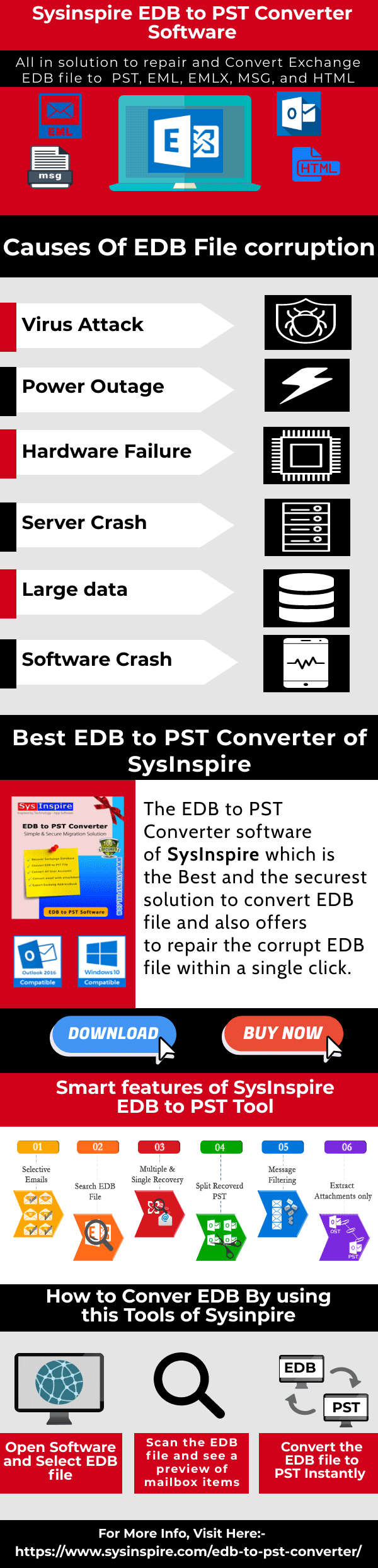
The most popular software created by SysInspire is Free EDB to PST Converter, and it will not cause any problems with the EDB file. It is also available in a free demo version with no hidden costs. It also comes with a 30-day money-back guarantee. It is used to recover Exchange mailboxes from EDB to PST as well as other formats such as EMLX, EML, MSG, and HTML. You can make quick conversion of EDB files to PST Outlook formats with help of simple guided steps of this tool.

Get More Information:- Restore Exchange Mailbox from EDB
Reply | Threaded
Open this post in threaded view
|

Re: Restore Exchange Mailbox from EDB

Akshay_M
Login to mailserver where database was recovered to  and start CMD as administrator. Navigate to path where .EDB file is and run the following command to check its status for dirty shutdown: eseutil /mh EXDB14.edb (where EXDB14 is database name that was restored)
 

Run the following command to repair database:
eseutil /r E02 /l "E:\EXDB12\Exchange Server\EXDB14\Logs" /d "E:\EXDB12\Exchange Server\EXDB14\File"

( where E02 is the file name of check file)

Then run this command (In Exchange Powershell) to create RecoveryDB:
New-MailboxDatabase -Server mail01 -Name RecoveryDB01 -Recovery -EdbFilePath "E:\EXDB12\Exchange Server\EXDB14\File\EXDB14.edb" -LogFolderPath "E:\EXDB12\Exchange Server\EXDB14\Logs"

Run the following command to mount the RecoveryDB:
Mount-Database RecoveryDB01

Run the following command (Exchange powershell) to get a list of mailboxes:
Get-MailboxStatistics -Database RecoveryDB01 | ft –auto

Run the following command to Restore mailbox to an existing user (only supported way)
New-MailboxRestoreRequest -SourceDatabase RecoveryDB01 -SourceStoreMailbox "Doe, Jon" -TargetMailbox newuser –AllowLegacyDNMismatch


Where "Doe,Jon" is mailbox you want to restore from the old database and "newuser" is a  new mailbox you created.

Run the following command (In Exchange Powershell) to check status:
Get-MailboxRestoreRequest


When status is completed run the following command to Remove restore request:
Get-MailboxRestoreRequest -Status Completed | Remove-MailboxRestoreRequest

Then run the following command to export mailbox it was restored to into a pst file:
New-MailboxExportRequest -Mailbox jondoe -FilePath //fileshare01/PST/jondoe.pst

Run the following command to check status of export request:
Get-Mailboxexportrequest


Then run the following command to remove completed request:
Get-mailboxexportrequest –status completed | remove-mailboxexportrequest


Delete content from mailbox it was imported to.
Disable-Mailbox Jon.Doe@domain.com

Remove and Delete Recovery database.
In Exchange powershell run the following command:

Remove-MailboxDatabase -Identity “RecoveryDB01”

Then manually delete the file from its location (database and log).
